Printable Placemat Size: 11x17 vs A3 vs Letter Landscape (and How to Print Each)
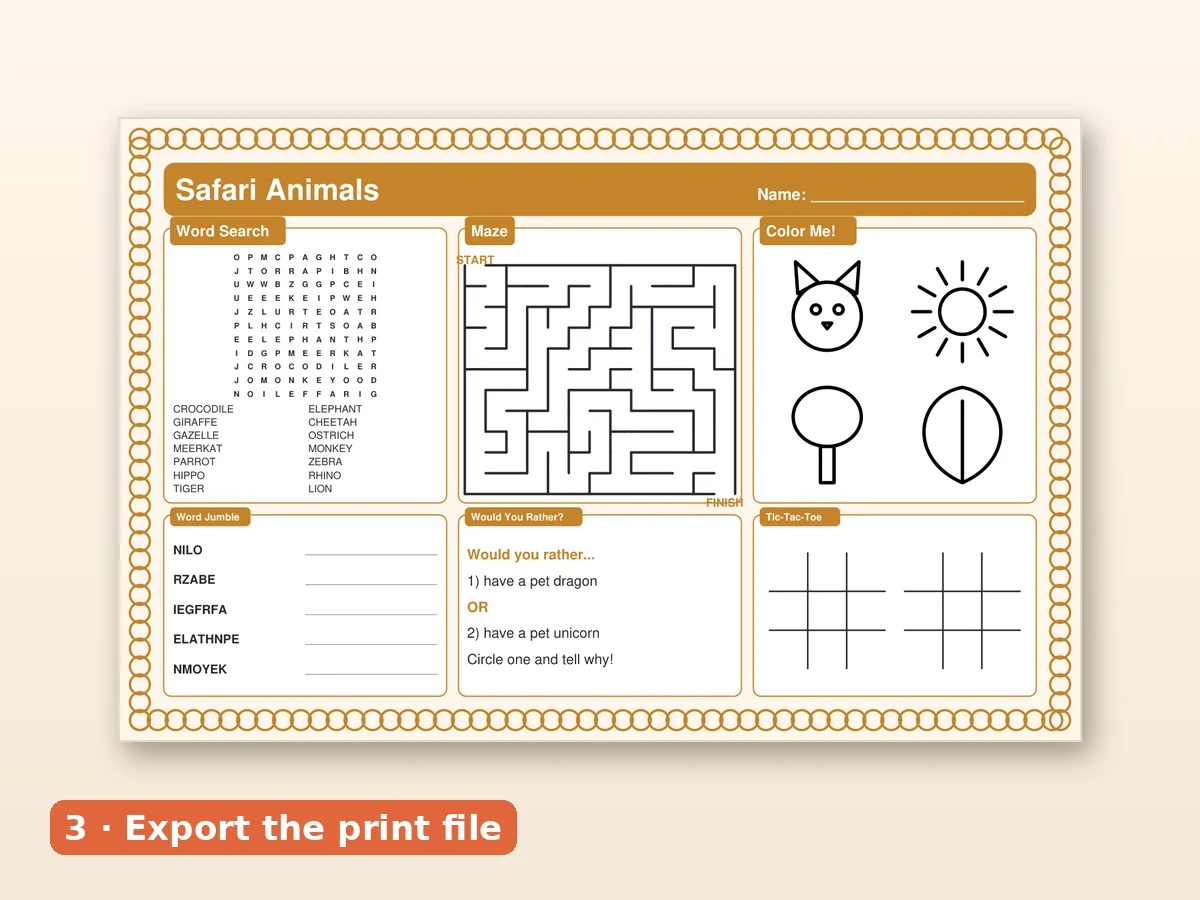
For a printable placemat, 11x17 inches (Tabloid) or A3 gives the classic large-mat feel, and landscape Letter or A4 is the version for ordinary home printers. Choosing the size before you design saves you from rescaling later, and it decides what people can print at home. Here is how each size compares, how to print it and what to put in your files.
The four sizes at a glance
| Size | Dimensions | Best for | Printer needed |
|---|---|---|---|
| 11x17 in (Tabloid) | 279 x 432 mm | US restaurants, parties, large mats | Wide-format or copy shop |
| A3 | 297 x 420 mm | UK, EU, AU and NZ buyers | Wide-format or copy shop |
| Letter landscape | 11 x 8.5 in | Home printing in the US and Canada | Any home printer |
| A4 landscape | 297 x 210 mm | Home printing elsewhere | Any home printer |
The Placemat Press · Activity Mat Creator Kit lays out finished placemats in all four, so you do not have to rebuild a design to reach a different buyer.
11x17 (Tabloid)
The most common choice for US buyers. It is a comfortable table mat, big enough for a plate and activities around it. If a customer has no wide printer, a print shop will do it for a small fee, and it is the same thing they pay for a poster or a menu.
Strengths: large, comfortable, professional. Limits: needs a larger printer or a shop.
A3
The equivalent for buyers using ISO paper sizes. Very close to 11x17 but a little narrower and shorter. Do not stretch an 11x17 file to fit A3 or vice versa, because the proportions change and circles become ovals. Use the file designed for the paper.
Letter and A4 landscape
These are smaller, but they are the size almost everyone can print at home. A landscape layout holds fewer blocks (usually four to five), so the design is a sibling of the large version, not a shrunken copy. Home-printed mats are great for car trips, a small table or a child's desk, and they are the best way to try a design before committing to a big print.
Margins and bleed
Printers cannot print to the edge. Leave:
- Half an inch (12 mm) of safe margin on every side for all text and puzzles.
- Background and frame art may extend to the edge only if you set up bleed. For home printing, it is safer to keep the frame inside the margin.
- Center area open for a plate if the mat is for dining.
Printing at home
- Open the PDF in a reader (not a browser preview).
- Choose "Actual size" or "100%". Avoid "Fit to page" unless the paper matches.
- Select the correct paper size.
- Print one draft on plain paper.
- Check that nothing is cut off.
- Print the final copy on heavier paper.
Printing at a copy shop
Bring the PDF on a USB stick or send it ahead. Ask for 11x17 or A3 on 100 to 120 gsm paper, and request one proof before a larger run. A shop can also laminate for a small fee, which gives you a wipeable, reusable mat.
Choosing for buyers (if you sell)
If you sell, include several sizes in one download so buyers do not have to ask:
- 11x17 and A3 for large mats,
- Letter and A4 landscape for home printing.
Say so clearly in your listing title and photos. A size graphic is among the most useful images you can add. See the listing template guide and how to sell printables on Etsy.
Choosing for yourself
- Family dinner: Letter or A4 is fine and fits any printer.
- Restaurant or party: 11x17 or A3 looks the part.
- Travel: Letter or A4 landscape, laminated.
- Classroom: A3 or 11x17 for the table, Letter for desks.
File checklist
- Names that include the size ("dino-tabloid.pdf").
- A flattened PDF at print quality.
- Margins checked.
- A test print at actual size.
- A separate file for editable-name versions.
What is in the kit
The kit contains 12 finished placemats in each size, individual-page versions, and editable-name sheets in Tabloid and Letter landscape. Placemat Press · Activity Mat Creator Kit costs $17.00 once. To understand how the layout adapts across sizes, read the template guide, and for the build steps the placemat printable guide. For restaurant use, see the restaurant mat guide.
Layout differences between sizes
Changing the paper size changes more than the scale. Here is what shifts in practice, using a six-block mat as the example.
On 11x17 or A3 (large): six blocks fit in a 3 by 2 grid with a title banner. Word-search letters can be a comfortable size, mazes can have wide corridors and there is room for a name field and a short joke. This is the layout kids see in restaurants.
On Letter or A4 landscape (small): drop to four blocks in a 2 by 2 grid with a slim banner. Keep the word search at eight words, simplify the maze, and move the joke into the banner. Nothing is shrunk below a readable size; instead, a block or two is left out.
Name fields: a long name needs room. On the small sizes, give the field the full width of the banner.
Corner frames: large sizes show the whole frame; on small sizes the frame corners take a larger share of the page, so choose a lighter frame or trim it slightly.
Common sizing mistakes
- Printing an 11x17 PDF on Letter with "fit to page", which shrinks the text to a size no child can read.
- Stretching an A3 file onto 11x17 paper and distorting the circles in the maze.
- Forgetting margins and losing the edge of the title.
- Sending a customer one size only and receiving a message asking for another.
- Skipping the test print and discovering the problem after twenty copies.
A quick decision tree
Ask three questions. Where will it be used? If at a table with a plate, go large. Who prints it? If a parent at home, include the small size. How many will you print? If more than ten, use a copy shop, check one proof, then print the run. Following those three answers, you will end up with the right file almost every time, and you can reuse the same decision for every mat you make afterwards.