How to Sell Printables on Etsy: A First Product You Can List This Week
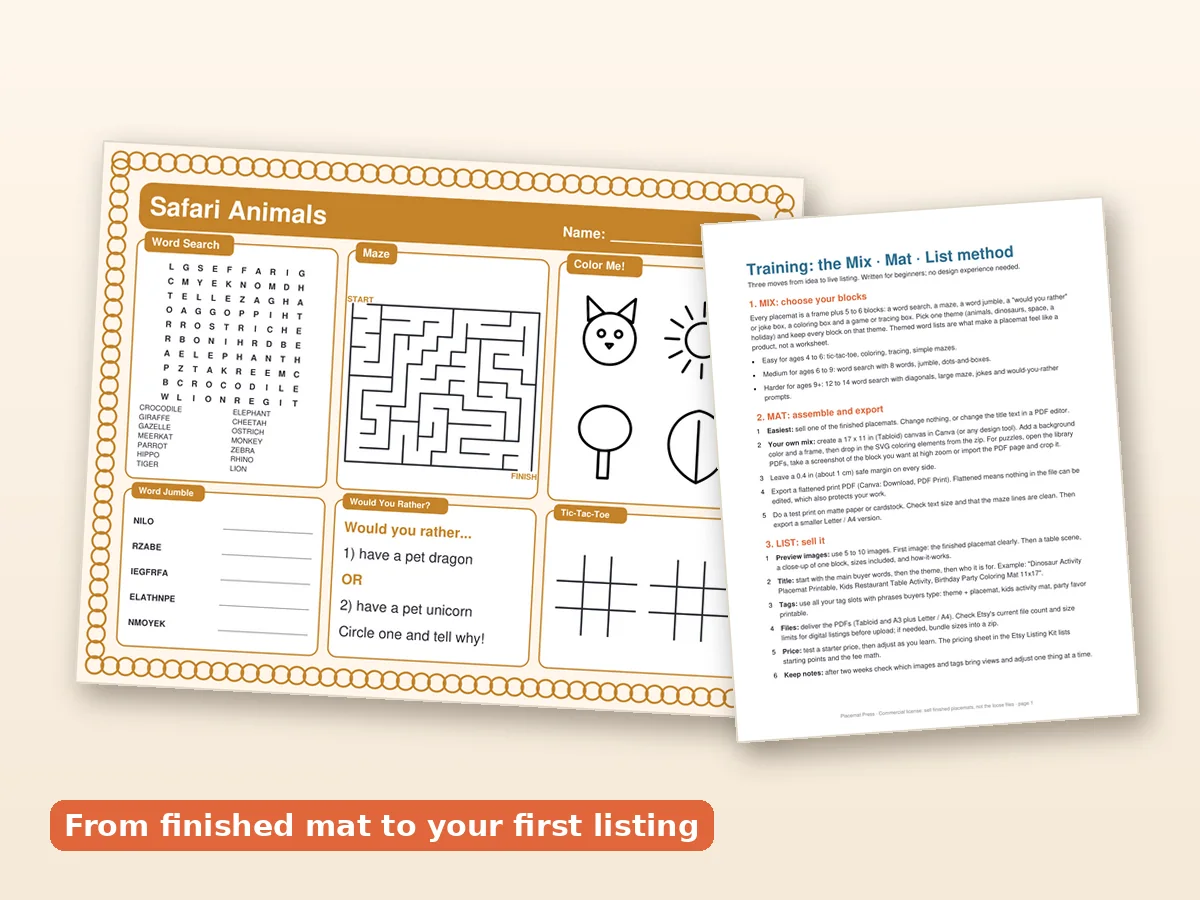
The easiest way to learn to sell printables on Etsy is to build one simple product, list it properly, and see what happens. Many new sellers stall because they treat the whole thing as one huge project: find a niche, design a pile of files, learn mockups, write titles, build a shop. This guide splits it into five small jobs and uses a kids' activity placemat as the example, because it is a product that is easy to assemble and easy to photograph. No income is promised here; the point is to get you from idea to a live listing.
Why a placemat is a sensible first product
Beginners often start with planners or wall art and run into crowded categories. An activity placemat is a different kind of printable: it is a physical-feeling object, parents print it, kids use it and it fits many themes (holidays, birthdays, restaurants). It is also a single file, which makes your first listing easy to manage.
There are also practical reasons:
- The product is visual. It photographs well. A bright mat on a table makes a good thumbnail.
- You can theme it endlessly. Dinosaurs, Christmas, Easter, back to school.
- One file, one download. No bundle logic to learn yet.
- Clear buyer. A parent or teacher who needs something for a child, now.
The five jobs
Job 1: Make the product
You need four to six activity blocks and a frame. That is the Mix and Mat part of the Mix, Mat, List system. The Placemat Press · Activity Mat Creator Kit includes 349 commercial-use elements (word searches, mazes, jumbles, jokes, would-you-rathers, coloring pages, paper games), 10 corner frames and 12 finished mats you can study. Pick a theme, choose a frame, drop in blocks, export a flattened PDF.
A flattened PDF matters for selling: it is the finished file the customer downloads and prints, and the loose elements are not included. That is also what the licence requires.
Job 2: Check the licence
This is the step many beginners skip, and it is the one that can close a shop. Before you list anything:
- Does the licence let you sell finished products made with the elements?
- Does it forbid reselling or sharing the elements themselves?
- Are fonts and clipart covered, or only some of them?
With this kit, the commercial licence covers finished placemats you make; you may not resell or share the kit or its loose elements. Read any licence the same way, whatever you use. More detail is in commercial-use printables.
Job 3: Make photos (mockups)
Most buyers decide on the photos. You need:
- A hero image showing the mat flat on a table.
- An image showing the blocks close up (word search, maze).
- A size/format image (11x17, A3, Letter, A4).
- A "how it works" image (download, print, play).
- Optionally, a lifestyle photo: a child coloring.
The kit's listing template includes a mockup checklist so you do not forget any of these. A single clean photo on a wooden table beats a busy collage.
Job 4: Write the listing
Four parts to get right: the title, the tags, the description and the file note. The title should say exactly what the product is in the words a parent would type: "Dinosaur Activity Placemat Printable, Kids Table Activity, 11x17 PDF". The description should say what is in the file, what sizes, how to print, and what the buyer may do with it (personal use). A longer walkthrough is in the listing template guide.
Job 5: Check before you publish
Run through this list:
- Does the file open and print at the right size?
- Do the word-search answers match?
- Does the listing say "digital download, no physical item"?
- Do the photos match what the buyer gets?
- Have you read Etsy's current rules for digital items?
A realistic first week
| Day | Task |
|---|---|
| 1 | Choose one theme and one age band |
| 2 | Assemble the mat from blocks, export, test-print |
| 3 | Make three to five mockup images |
| 4 | Write the title, tags and description |
| 5 | Create the shop basics (name, banner, policies) |
| 6 | Publish the listing |
| 7 | Read your stats and write down what you would change |
None of that requires being a designer. Because the blocks are ready-made, the hardest part is choosing.
What to make second
Once the first mat is live, create the same product in another theme. Sellers who succeed in digital products tend to build small, consistent families of items: four seasons, four holidays, four animals. They learn which photo and which title convert, and they repeat that. A family of mats also lets you sell a bundle later.
What to avoid
- Copying someone else's listing text. Write your own.
- Using clipart without a commercial licence. If you cannot prove you can sell it, do not.
- Promising results. Do not claim your buyers' kids will learn something specific unless you can back it up.
- Starting with ten products. One live listing teaches more than ten half-built ones.
Honest expectations
Selling printables is a legitimate way to start a small shop with little upfront cost. It is not a guarantee of income. Results depend on your niche, your photos, your keywords and how many listings you build over time. What the placemat approach does is remove the biggest early obstacle: the blank page.
Where this kit fits
The Placemat Press · Activity Mat Creator Kit is a set of digital templates and guides (not an Etsy course): the element library, frames, a Start Here guide, a training document on the mix-mat-list workflow, the listing template and the commercial licence. It costs $17.00 once. If you want to build your first product from a theme you pick tonight, begin with the placemat build guide and the template walkthrough.
One last practical note
Etsy's fees and policies change. Check their current terms for listing fees, payment processing and digital-product rules before you publish. The kit is independent and not affiliated with Etsy or any print platform.