Word Search Printable: A Free Sample Puzzle, Levels by Grade and How to Use It
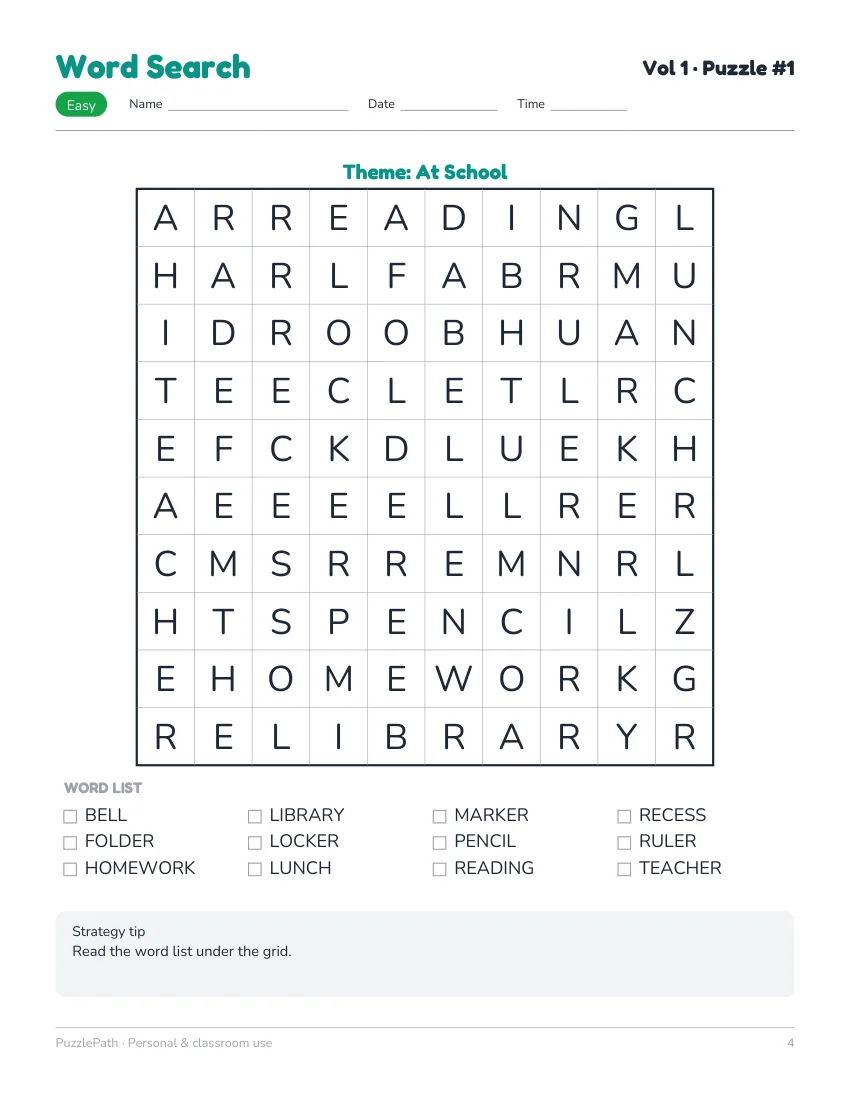
A word search printable is a grid of letters with a list of words to find, and the best ones match the grid size, the number of words and the directions to the age of the person solving. This guide gives you a real sample puzzle with its answer key, shows what makes one word search easier or harder than another, explains how to print and solve it, and shows how to make your own. It also says plainly what we sell and what we do not, because we are a math puzzle product, not a library of word searches.
A sample you can print now
The sheet below is a page from a PuzzlePath Word Search book: puzzle 1 of Volume 1, an easy level puzzle with the theme At School, followed by the answer-key page that holds its solution. Every word in it appears exactly once, because the puzzle is checked by a separate solver before it goes into a book.
Printing tips for the sample: print on US Letter at 100 percent (actual size), in black and white if you like, and let the child circle words with a pencil.
What makes a word search easier or harder
Four things control the difficulty, in this order of importance:
- Directions. If words only run left to right and top to bottom, a child scans along rows and columns. Add diagonals and the eye has more to do. Add backwards words and it becomes a hunt.
- Grid size. A 10 by 10 grid has 100 letters. A 15 by 15 grid has 225, so there is more noise to filter out.
- Number of words. Twelve words is a short job. Twenty is a longer one.
- Word length and overlap. Short words are easy to spot, and long words cross more letters. Puzzles where words share letters are slightly harder than those where they stand apart.
The three levels in PuzzlePath word searches
| Level | Grades | Grid | Words | Directions |
|---|---|---|---|---|
| Easy | 3–4 | 10 by 10 | 12 | Right and down only |
| Medium | 5–6 | 12 by 12 | 16 | Adds diagonals (4 directions) |
| Hard | 7–8 | 15 by 15 | 20 | All 8 directions, including backwards |
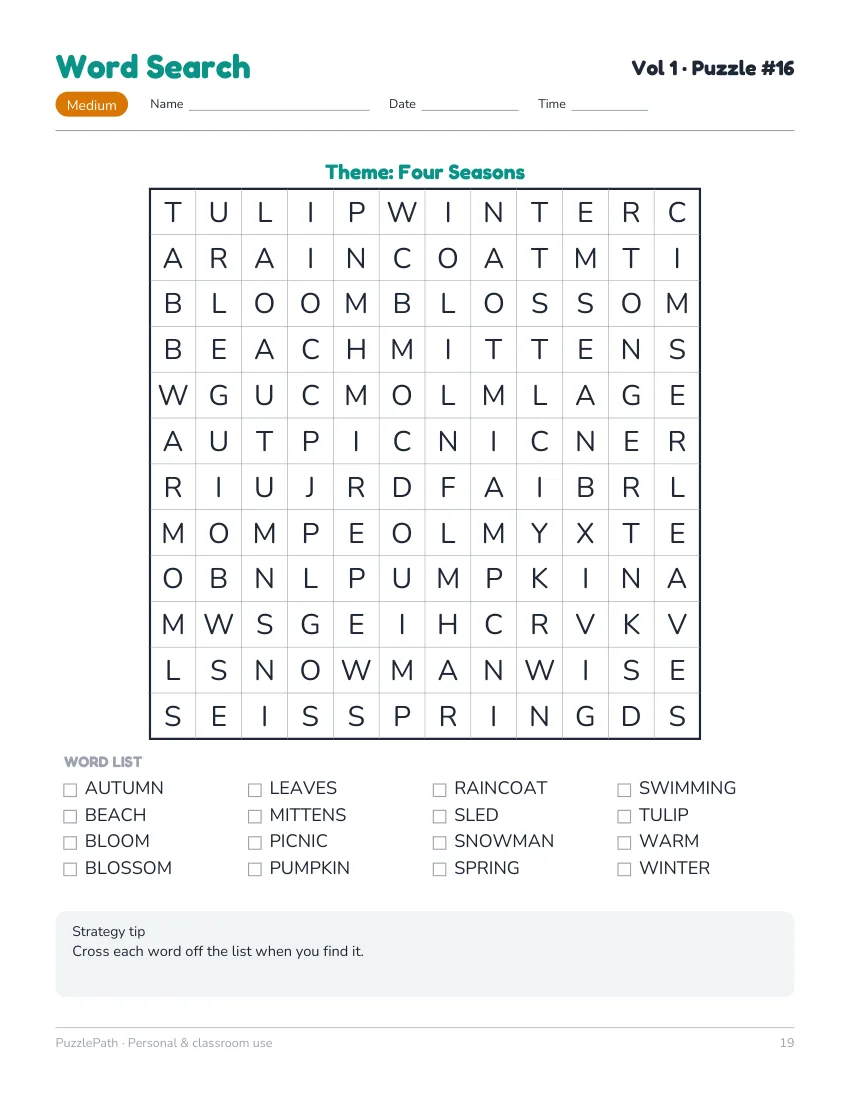
Each book has 50 puzzles with a theme for every puzzle, such as At School or Four Seasons. The grade bands describe the difficulty of the puzzle, not a promise about any one child. A strong third grader may enjoy a medium puzzle, and an older child who is tired may prefer an easy one.
Choosing a printable word search
Not every printable word search is a good one. Look for these:
- Words that appear once. If a word is hidden twice, a child may circle one and be told they are wrong.
- A word list under the grid. A list gives children something to check off and keeps the puzzle from becoming guesswork.
- Age-appropriate words. Check for names or brands, difficult spellings and words that need explaining.
- A clean layout. A big enough grid for a pencil, and enough space between letters to circle without covering neighbours.
- An answer key. Parents and teachers need one, and children like to check their work.
- Clear usage rights. For classroom use, check that copying for your own class is allowed.
How to solve a word search
These tips work at any level, and they are worth teaching:
- Read the list first. Know what you are looking for before you scan.
- Start with the odd letters. Words with a Q, Z, X or J are easier to find because those letters are rare in the grid.
- Hunt for the first letter, then check the neighbours. When you find an R, look at the squares around it for the second letter.
- Scan one direction at a time. First look across, then down, then diagonally. Do not try to do everything at once.
- Look for the ends of words too. In puzzles with backwards words, a word may be easier to find from its last letter.
- Cross words off as you go. The list shrinks, and the remaining words become easier to find.
- Leave the stubborn word for last. The grid has fewer unused letters by then.
Ways to use a word search at home and in class
- Early finishers. A word search is a quiet task that does not need explaining. For more ideas, see early finishers math.
- Spelling and vocabulary. Build a puzzle from this week's spelling list. Finding a word letter by letter is also practice in seeing how it is spelled.
- Warm-ups. Five minutes at the start of a lesson settles a class. Math warm ups and bell ringers has more ways to start class.
- A quiet half hour. Car trips, waiting rooms and rainy afternoons all suit a printed puzzle with a pencil.
- Themed puzzles. Match the theme to a topic you are studying: animals, seasons, school, weather, food.
- Practice for reading. Younger children who are learning to read can match the list with the letters in the grid, one at a time.
How to make your own word search
You do not need software. A pencil and graph paper work.
- Pick a theme and 10 to 15 words. Keep them short for younger children. Avoid words that are inside other words.
- Draw the grid. A 10 by 10 grid is a good start.
- Place the longest words first. Write them across and down. Add diagonals when you want a harder puzzle.
- Add the shorter words where they fit. Let some cross.
- Fill the empty squares with random letters. Use common letters such as E, A and R as well as rarer ones so the puzzle does not give itself away.
- Check that no word appears twice by accident, and that no extra word hides in the filler.
- Write the list under the grid and make a copy for yourself with the words circled, to use as an answer key.
For a math twist, build the list from math words such as sum, product, factor, digit, angle and total. It is a gentle way to practice the vocabulary of the lesson.
What we sell, and what we do not
We make math puzzle books. PuzzlePath Math Puzzle Pack is seven printable math games, 50 puzzles each (350 in total), with Easy, Medium and Hard levels, an answer key in every book and a web app. It does not include word searches. The pages on this site about the pack are straightforward about that, and you can read the whole list in the 7-game math puzzle book.
The word search above comes from a separate Word Puzzle Starter Pack, which has five word games and is offered as an add-on after checkout. It is not part of the pack linked on this page, and it is not included with it. We link the math pack because that is where our puzzles start. If you want the math puzzles that sit beside word puzzles in a mixed practice routine, the games are described in printable math puzzles, and printable math games with no prep shows how to set them out in a classroom or at home.
If all you want is a word search for today, print the sample above and enjoy it. If you want a math puzzle to go with it, that is what the pack is for.